



MS Access 2003: Play a wav file (sound file) without using the API
This MSAccess tutorial explains how to play a wav file (sound file) without using the API in Access 2003 (with screenshots and step-by-step instructions).
Question: In Microsoft Access 2003/XP/2000/97, I have some ALAW WAV files that will not play through the API in Access. Is there a way to play a WAV (sound file) without using the API?
Answer: It is possible to play wav files within your Access database without using the API. We'll demonstrate how to do this on a button's on_click event. First you will need to create a new Module and paste in the following VBA code:
Sub PlayWavFile(pFileName As String)

   'Play wav file
   FollowHyperlink Address:=pFileName

End Sub
Your module should look like this:
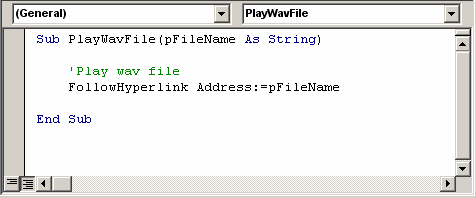
You can now make a call to this function with your wav file name as follows:
Private Sub Command1_Click()

   PlayWavFile "c:\windows\media\chimes.wav"

End Sub
The code above would play the wav file called chimes.wav that is located in the c:\windows\media directory. You can choose when to play the wav file (ie: when a form opens, when a button is clicked, etc)
Advertisements