



UNIX Basic commands: cat
Description
The cat command reads one or more files and prints their contents to standard output. Files are read and output in the order they appear in the command arguments.
Syntax
The syntax for the cat command is:
cat [options] [files]
Parameters or Arguments
- options
-
Some of the options available for the cat command are:
Option Description -b Starting at 1, number non-blank output lines. -e Display control and non-printing characters followed by a $ symbol at the end of each line. (May require the -v option) -n Starting at 1, number all output lines. -t Each tab will display as ^I and each form feed will display as ^L. (May require the -v option) -u Output is displayed unbuffered. -v Display control and non-printing characters. Control characters print as ^B for control-B. Non-ASCII characters with the high bit set display as "M-" followed by their lower 7-bit value. NOTE: While the options provided here work on most UNIX systems, some UNIX flavors may have changed their meanings or uses. If you experience an incompatibility with these options, please consult the cat manual page (see man command) on your system for a list of compatible options. - files
- A list of file names separated by spaces that cat will concatenate the contents of.
Operators
The following operators can be used with the cat command:
| Operator | Description |
|---|---|
| > | Redirect the output of the cat command to a file rather than standard output. The destination file will be created if it doesn't exist and will be overwritten if it does. |
| >> | Append the output of the cat command to the end of an existing file. The destination file will be created if it doesn't exist. |
| | | Send (or pipe) the output of the cat command into another command for further processing. |
Applies To
- Most UNIX variants including: FreeBSD, OpenBSD, Solaris, Illumos, SmartOS
Type of Command
- System Executable
Example - Using cat to output the contents of a file to the display
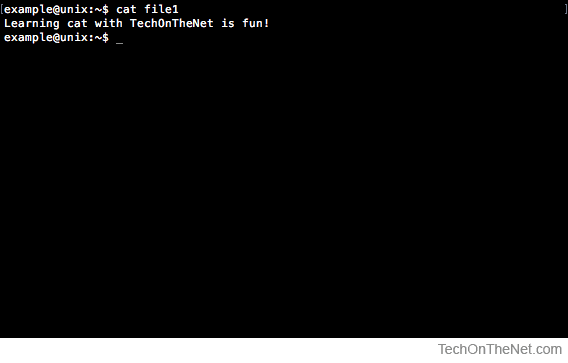
In this example the file named file1 contains the text: Learning cat with TechOnTheNet is fun!
The following command uses the cat command to output the contents of file1 to the display.
cat file1
In this screenshot, you can see that the contents of file1 are displayed as expected.
Example - Using cat to output the contents of two files to the display
Building on the previous example, we will use the cat command to output the contents of two files to the display.
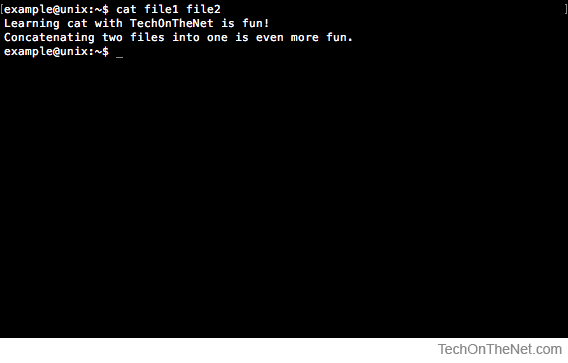
For this example the file named file1 contains the text: Learning cat with TechOnTheNet is fun! and the file named file2 contains the text: Concatenating two files into one is even more fun.
The following command outputs the contents of the files file1 and file2 to the display.
cat file1 file2
In this screenshot, you can see that the contents of file1 is displayed first followed by the contents of file2.
Example - Using cat to redirect the contents of two files to another file
In this example we will use the cat command to redirect the contents of two files into another file.
The file named file1 contains the text: Learning cat with TechOnTheNet is fun! and the file named file2 contains the text: Concatenating two files into one is even more fun.
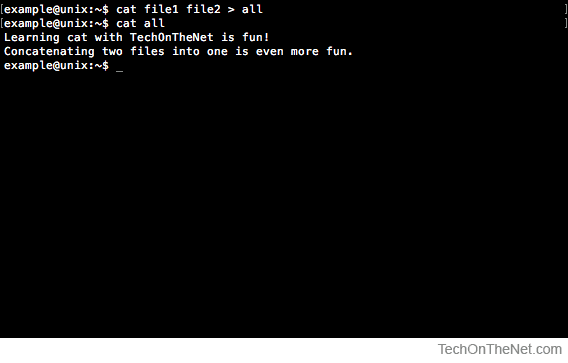
The following command redirects the contents of the files named file1 and file2 to the file named all.
cat file1 file2 > all
To view the contents of the file named all we will also use the cat command as we did in the first example.
cat all
As we can see in the following screenshot, the contents of the files named file1 and file2 are sent into the file named all by the first command and the contents of the file all is output to the display by the second command.
Example - Using cat to append the contents of a file to the end of another file
In this example we will append the contents of one file to the end of another file.
For this example the file named file1 contains the text: Learning cat with TechOnTheNet is fun! and the file named file2 contains the text: Concatenating two files into one is even more fun.
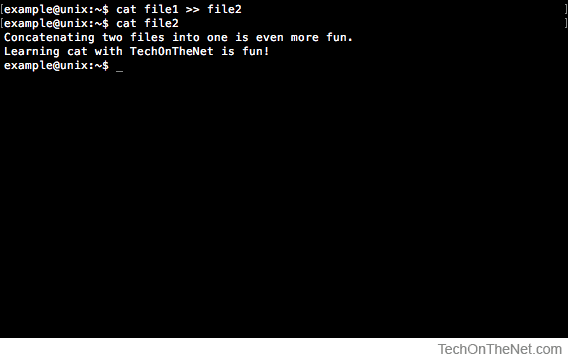
We will use the following cat command to append the contents of the file file1 to the end of the file file2.
cat file1 >> file2
To view the contents of the file named file2 we will use the following cat command:
cat file2
This screenshot shows the contents of file2 after the contents of file1 were appended to the end of file2.
Example - Using cat to pipe the contents of a file into another command
In this example we will use the cat command, the pipe operator and the grep command to send the contents of a file to the standard input of the grep command.
For this example the file named file1 contains the text: Learning cat with TechOnTheNet is fun! and the file named file2 contains the text: Concatenating two files into one is even more fun.
The following cat command pipes or sends the contents of the files file1 and file2 to the standard input of the grep command.
cat file1 file2 | grep "TechOnTheNet"
In this screenshot we can see that the contents of both file1 and file2 are sent into the grep command. The grep command filters the output displaying any lines that contain the string TechOnTheNet.
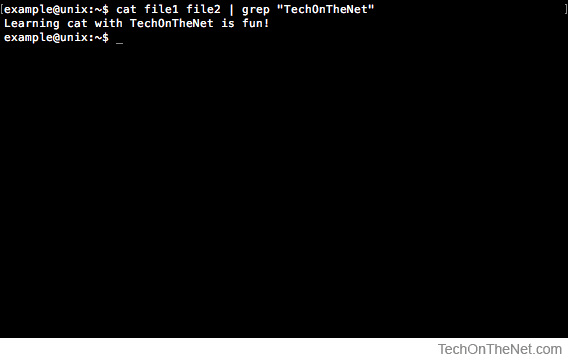
The line Learning cat with TechOnTheNet is fun! from the file named file1 contains the string TechOnTheNet so it is displayed by the grep command.
Advertisements