



MS Excel 2003: Change the background color of a cell when another cell is selected
This Excel tutorial explains how to write a macro to change the background color of a cell when another cell is selected in Excel 2003 and older versions (with screenshots and step-by-step instructions).
Question: In Microsoft Excel 2003/XP/2000/97, I'm looking for VBA code that will change the background color of a cell when I click on another cell.
For example, if I click on cell A1, I'd like the background color of cell B2 to change to red.
Answer: To change the background color of a cell A1 when cell B2 is clicked, we need to create a macro that is called when the Worksheet's SelectionChange event is fired.
Download Excel spreadsheet (as demonstrated below)
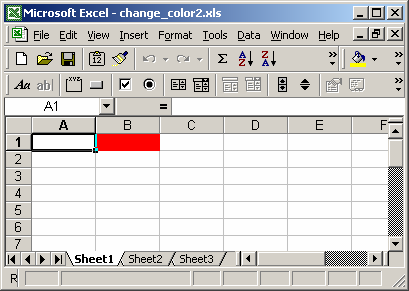
In the spreadsheet below, we've created a macro that will run each time the user selects a different cell on Sheet1.
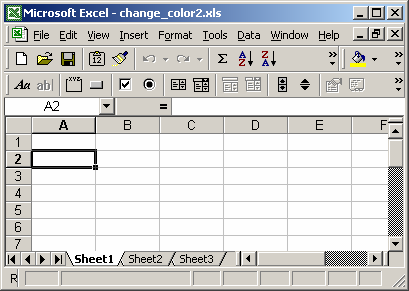
If the user selects cell A1, the macro will set the background color of cell B2 to red.
You can view the macro by pressing Alt+F11.
Macro Code
The macro code looks like this:
Private Sub Worksheet_SelectionChange(ByVal Target As Range)

   If Not Intersect(Range("A1"), Target) Is Nothing Then
      Range("B1").Interior.ColorIndex = 3
      Range("B1").Interior.Pattern = xlSolid
   End If

End Sub
Advertisements