



MS Excel 2003: Open an Access Form from Excel
This Excel tutorial explains how to write a macro to open a Microsoft Access form from Excel 2003 and older versions (with screenshots and step-by-step instructions).
Question: I want to open an Access Form from Microsoft Excel 2003/XP/2000/97. I need to filter the records in the form based on a value that I enter in an Excel cell. How can I do this?
Answer: This can be done with VBA code.
Let's look at an example.
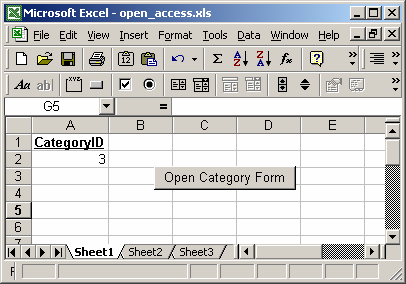
In our spreadsheet, we've created a button that calls a macro called OpenAccess. This macro will launch Microsoft Access and open an Access database that we specify. In this case, the Access database can be found at "C:\Test\Testing.mdb".
Once our Access database has been opened, it will open a Form called Categories to display only those records whose CategoryID matches the value in cell A2 in Excel. In this example, cell A2 contains the value 3, so we'll only display those records in the form whose CategoryID equals 3.
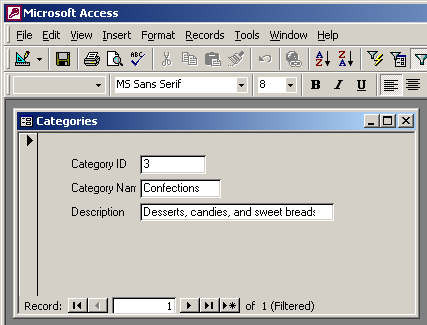
Below is the macro code that we used.
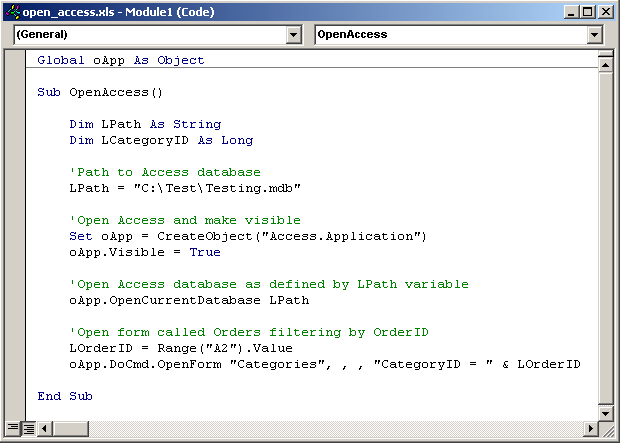
Macro Code
The macro code looks like this:
Global oApp As Object

Sub OpenAccess()

   Dim LPath As String
   Dim LCategoryID As Long

   'Path to Access database
   LPath = "C:\Test\Testing.mdb"

   'Open Access and make visible
   Set oApp = CreateObject("Access.Application")
   oApp.Visible = True

   'Open Access database as defined by LPath variable
   oApp.OpenCurrentDatabase LPath

   'Open form called Categories filtering by CategoryID
   LCategoryID = Range("A2").Value
   oApp.DoCmd.OpenForm "Categories", , , "CategoryID = " & LCategoryID

End Sub
Advertisements