



MS Excel 2003: Update all formulas to reference data in a particular column
This Excel tutorial explains how to write a macro to update all formulas to reference data in a particular column in Excel 2003 and older versions (with screenshots and step-by-step instructions).
Question: In Microsoft Excel 2003/XP/2000/97, I want to create a macro button that when clicked will update all formulas to reference data in a particular column. How can I do this?
Answer: This can be done with a macro.
Let's look at an example.
Download Excel spreadsheet (as demonstrated below)
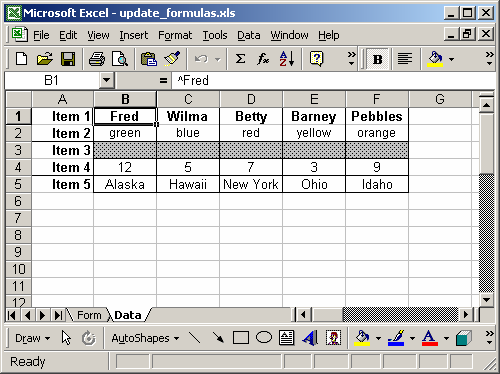
In our spreadsheet, we have two sheets called Form and Data. On the sheet called Data, we've placed information in columns B to F. This will be the information referenced by all formulas in the spreadsheet.
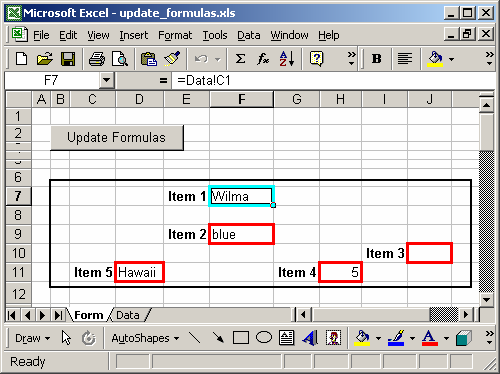
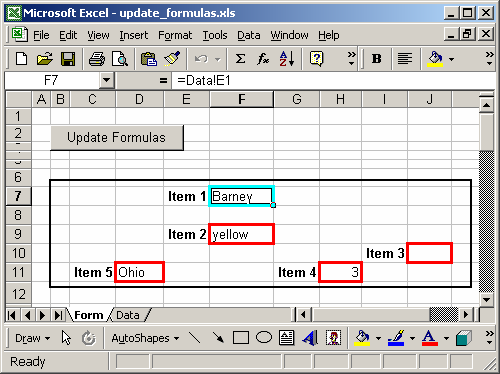
The sheet called Form is where the formulas reside. Each cell with a red border contains a formula that references data on the Data sheet.
We've placed a button on the Form sheet that when clicked will prompt for the column that all formulas will reference.
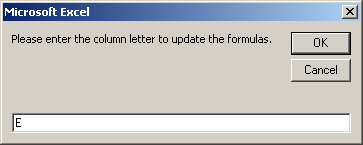
In our example, we've chosen to have all formulas reference the data in column E on the Data sheet.
The macro will then replace all formulas on the Form sheet. When it has completed, you will see the following message box appear:
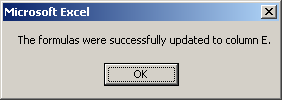
Now when you return to the spreadsheet, you can see that all of the formulas now reference column E on the Data sheet.
To view the macro, press Alt+F11 and double-click on the module called Module1 in the left window.
Macro Code
This macro code looks like this:
Sub UpdateFormulas()

   Dim LColumnLetter As String
   LColumnLetter = InputBox("Please enter the column letter to update the formulas.")

   Sheets("Form").Select

   'All following code will copy a formula into the destination if the source
   'has a value. I f the source does not have a value, it will copy a blank to
   'the destination.

   'Item #1
   Range("F7").Select
   If IsEmpty(Range("Data!" & LColumnLetter & "1").Value) Then
      ActiveCell.Value = ""
   Else
      ActiveCell.Formula = "=Data!" & LColumnLetter & "1"
   End If

   'Item #2
   Range("F9").Select
   If IsEmpty(Range("Data!" & LColumnLetter & "2").Value) Then
      ActiveCell.Value = ""
   Else
      ActiveCell.Formula = "=Data!" & LColumnLetter & "2"
   End If

   'Item #3
   Range("J10").Select
   If IsEmpty(Range("Data!" & LColumnLetter & "3").Value) Then
      ActiveCell.Value = ""
   Else
      ActiveCell.Formula = "=Data!" & LColumnLetter & "3"
   End If

   'Item #4
   Range("H11").Select
   If IsEmpty(Range("Data!" & LColumnLetter & "4").Value) Then
      ActiveCell.Value = ""
   Else
      ActiveCell.Formula = "=Data!" & LColumnLetter & "4"
   End If

   'Item #5
   Range("D11").Select
   If IsEmpty(Range("Data!" & LColumnLetter & "5").Value) Then
      ActiveCell.Value = ""
   Else
      ActiveCell.Formula = "=Data!" & LColumnLetter & "5"
   End If

   'Reposition back on item #1
   Range("F7").Select

   MsgBox ("The formulas were successfully updated to column " & LColumnLetter & ".")

End Sub
Advertisements