



MS Excel 2007: Do not save data with table layout in a pivot table
This Excel tutorial explains how to prevent Excel from saving the data with the table layout in a pivot table in Excel 2007 (with screenshots and step-by-step instructions).
See solution in other versions of Excel:
Question: After I created a pivot table in Microsoft Excel 2007, the size of the spreadsheet became quite large. This was due to the fact that the data behind the pivot table was saved with the table layout. How do I prevent Excel from saving the data with the table layout?
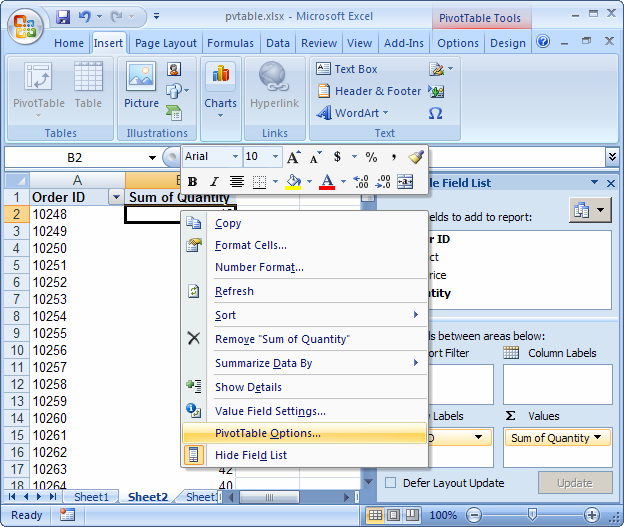
Answer: Right-click on the pivot table and then select "PivotTable Options" from the popup menu.
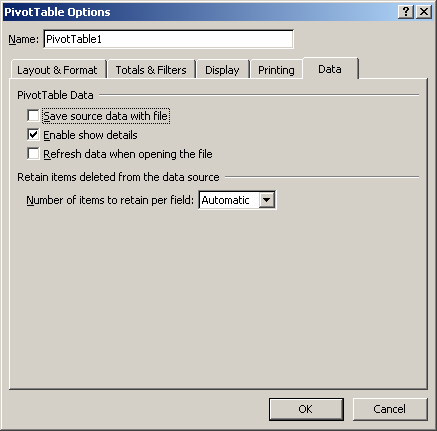
When the PivotTable Options window appears, uncheck the checkbox called "Save source data with file". Click on the OK button.
Advertisements