



MS Excel 2007: Sort pivot table results
This Excel tutorial explains how to sort the results in a pivot table in Excel 2007 (with screenshots and step-by-step instructions).
See solution in other versions of Excel:
Question: How do I sort the pivot table results in Microsoft Excel 2007?
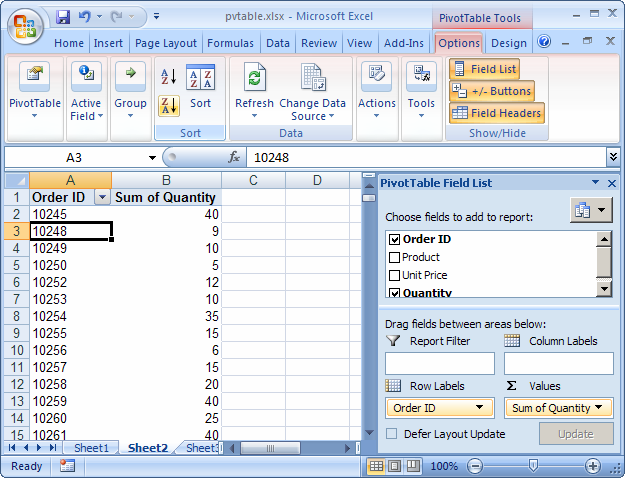
Answer: To sort the pivot table, select one of the values that you wish to sort. Then select the Options tab from the toolbar at the top of the screen. In the Sort group, you can click on one of the following buttons:
The Sort Smallest to Largest button  sorts in ascending order, the Sort Largest to Smallest button
  sorts in descending order, and the Sort button allows you to choose more complex sorting options.
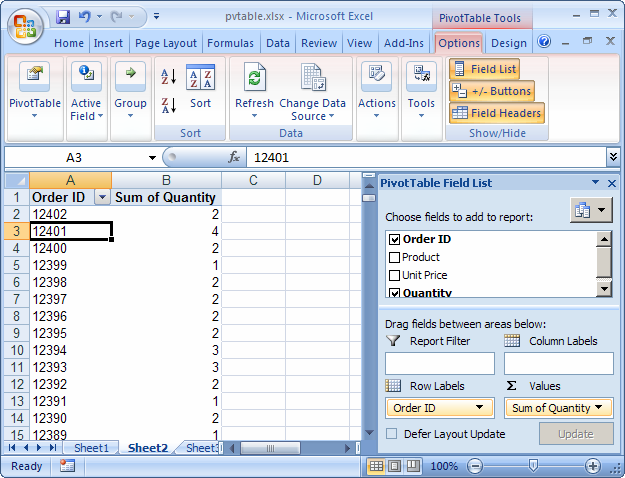
In this example we wanted to sort the Order ID values in descending order, so we selected a value in column A and clicked on the button.
Now when you view the pivot table, the Order ID values are sorted in descending order.
Advertisements