



MS Excel 2007: Hide Blanks in a Pivot Table
This Excel tutorial explains how to hide empty cells which appear as blanks in a pivot table in Excel 2007 (with screenshots and step-by-step instructions).
See solution in other versions of Excel:
Question: In Microsoft Excel 2007, how do I hide empty cells in a pivot table?
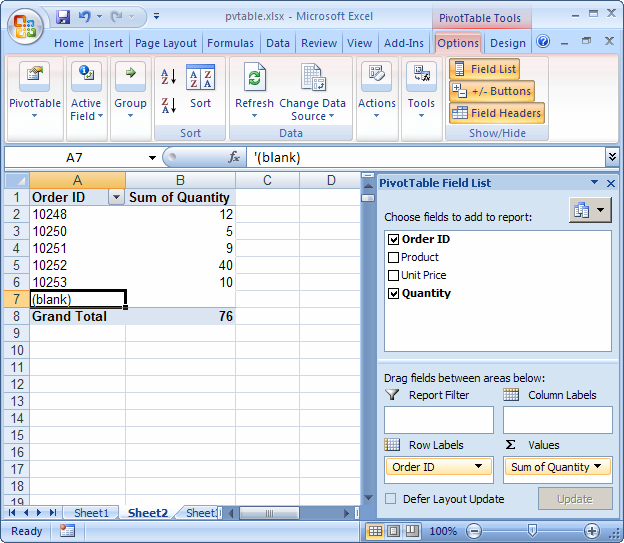
Answer: In the pivot table below, we want to hide the Order ID value that is blank.
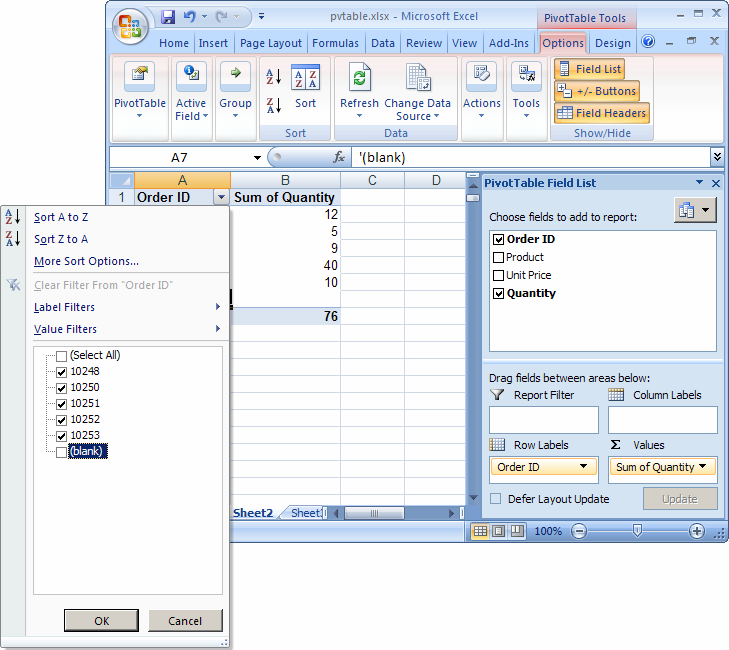
Click on the arrow to the right of the Order ID drop down box and un-select the checkbox next to the blank value. Then click on the OK button.
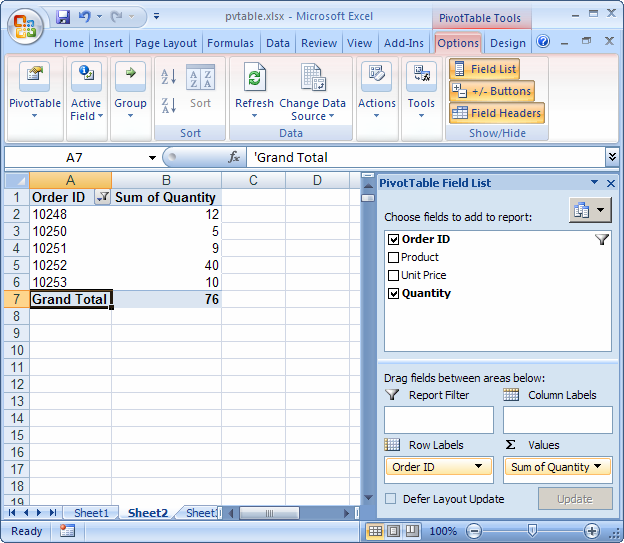
Now whenever the OrderID is blank, the data will be hidden in the pivot table.


Advertisements