



MS Excel 2003: Display comment indicator next to cells with comments
This Excel tutorial explains how to display the comment indicator next to cells with comments in Excel 2003 and older versions (with screenshots and step-by-step instructions).
See solution in other versions of Excel:
Question: When a comment has been inserted in a cell, the little red triangle is not being displayed to indicate a comment in a cell. What can I do to remedy this in Microsoft Excel 2003/XP/2000/97?
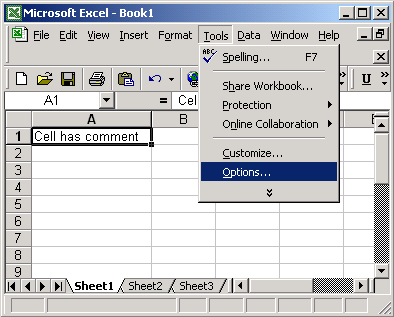
Answer: Under the Tools menu, select Options.
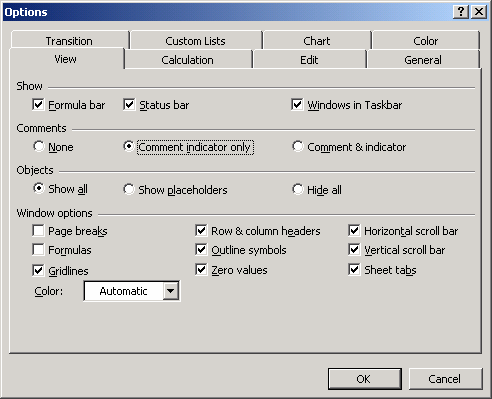
When the Options window appears, select the View tab. Select the option called "Comment indicator only".
Now when you return to the Excel spreadsheet, you should see the comment indicator. The comment indicator is the red triangle positioned in the top right corner of the cells that contain comments.
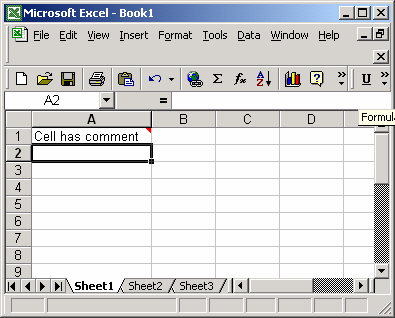
If you hover over the cell, the comment will appear.


Advertisements