



MS Excel 2003: Change the font color in a cell
This Excel tutorial explains how to change the font color of a cell in Excel 2003 and older versions (with screenshots and step-by-step instructions).
See solution in other versions of Excel:
Question: How do I change the color of a font in a cell in Microsoft Excel 2003/XP/2000/97?
Answer: By default when you create a new workbook in Excel 2003, all cells will be formatted with a black font. You can change the color of the font within any cell.
To change the font color in a cell, select the text that you wish to change the color of. This can either be the entire cell or only a character in the cell.
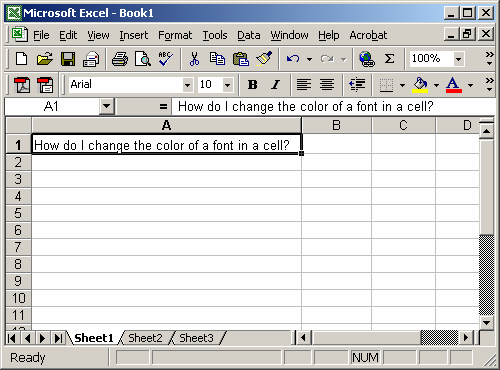
In the toolbar at the top of the screen, click on the font color button.
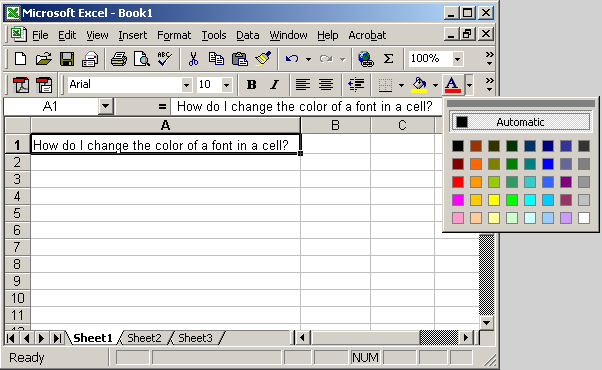
Select the color from the popup window.
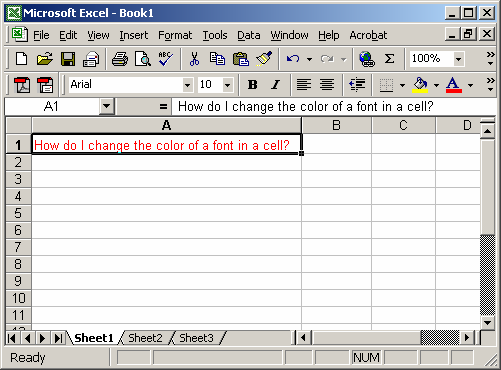
In this example, we've chosen to change the font color to red


Advertisements