



MS Excel 2003: Rotate text in a cell
This Excel tutorial explains how to rotate text in a cell in Excel 2003 and older versions (with screenshots and step-by-step instructions).
See solution in other versions of Excel:
Question: How do I rotate text in a cell in Microsoft Excel 2003/XP/2000/97?
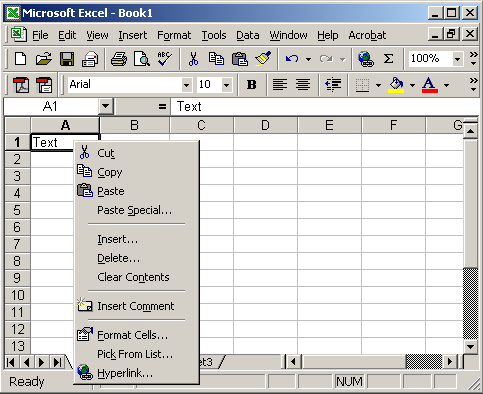
Answer: Select the cell(s) that you wish to rotate the text for. Right-click and then select "Format Cells" from the popup menu.
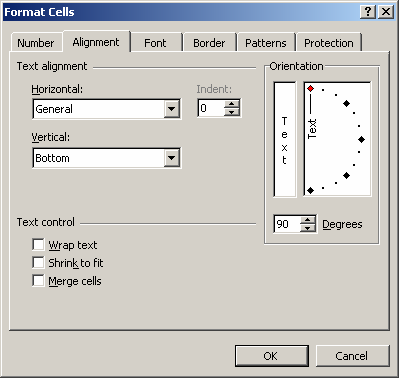
When the Format Cells window appears, select the Alignment tab. Then set the number of degrees that you wish to rotate the text. This value ranges from 90 degrees to -90 degrees.
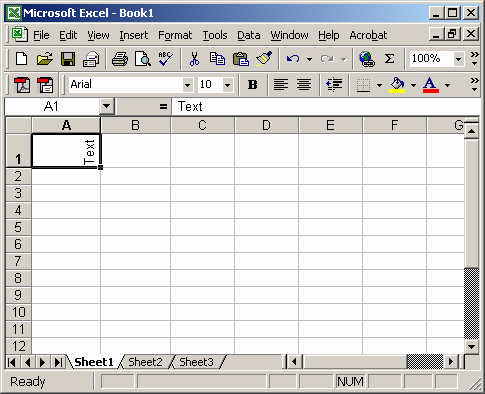
Now when you return to your spreadsheet, the text should be rotated.


Advertisements